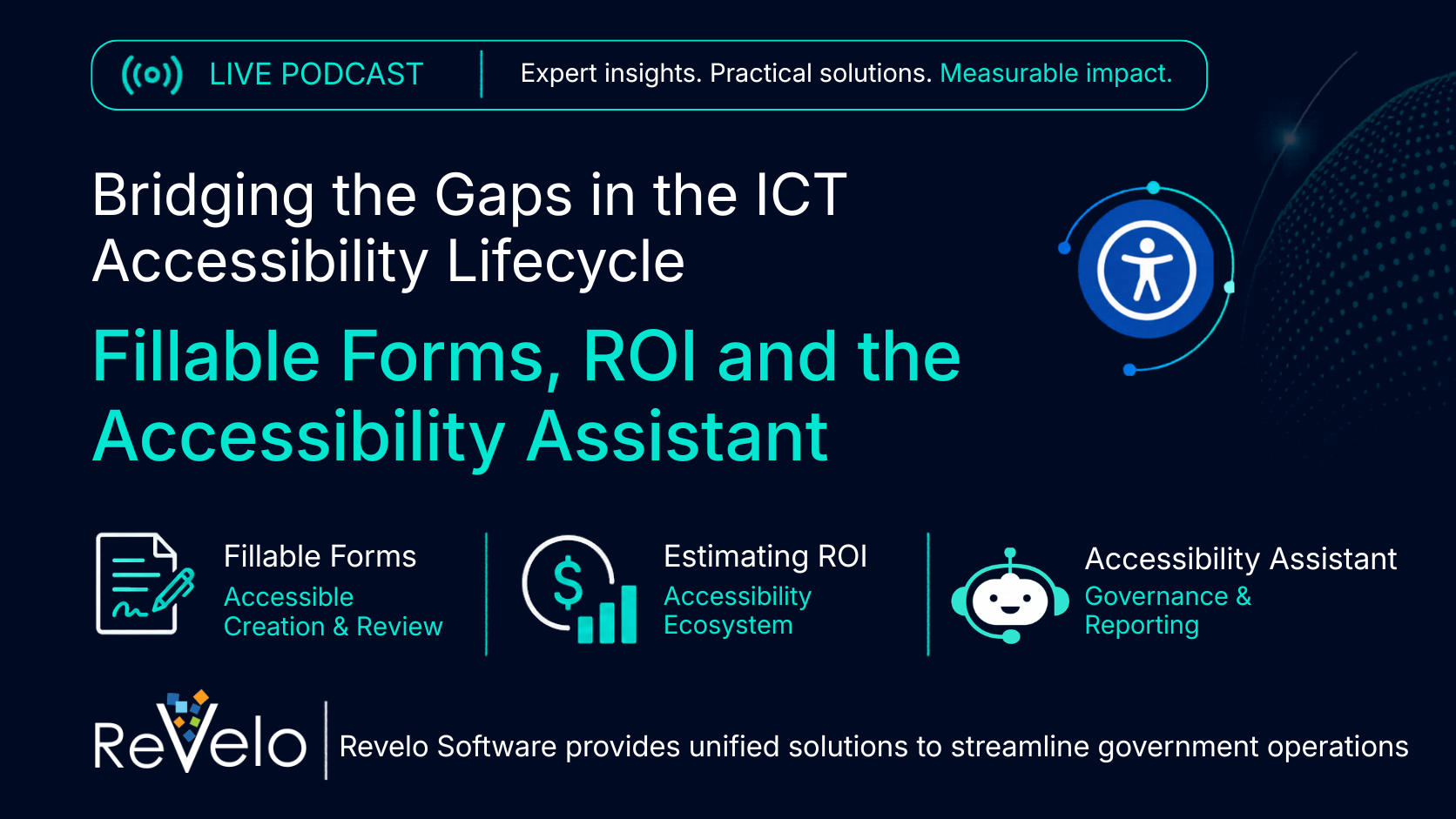
Banner promoting a live podcast titled "Bridging the Gaps in the ICT Accessibility Lifecycle: Fillable Forms, ROI and the Accessibility Assistant," featuring topics on accessible fillable forms, accessibility return on investment, and the Accessibility Assistant, with Revelo Software branding.

Way Too Early 2: Bridging the Gaps in the Accessibility Lifecyle: Fillable Forms and ROI

Webinars

Way Too Early 2 - Bridging the Gaps in the Accessibility Life Cycle: Fillable Forms and ROI

Watch the Webinar

Learn how agencies can make accessibility work more actionable, measurable, and easier to support before issues become costly to fix.

During the session, we will cover:

Fillable forms best practices

How to achieve higher ROI

How Revelo’s Accessibility Assistant can support these efforts

Webinar Transcript Read the full transcript of the webinar.
06:33 Arnetta LaMae

Good afternoon. It is actually 1:01 and welcome to Way Too Early 2, Bridging the Gaps in the ICT accessibility lifecycle. Today, we'll be focusing in on fillable forms and estimating ROI and Accessibility Assistant solutions. Thank you. Next slide. Next slide, please. Today's meetings, logistics, let's just do a little housekeeping. We're asking the participants to keep themselves on mute during the presentation. We will unmute participants during the Q&A session. The today's webinar, is being recorded. All links to the presentation recording will with closed captioning and transcript will be distributed via e-mail later. Questions and answers, please feel free anytime during the presentation to ask a question, because I do like to keep this a little informal and more like a conversation opposed to a throwing information at you. But if you have questions during the presentation and you don't want to ask them, you can put them in the chat and we'll respond to them in the moment or afterwards. Thank you. Next slide. Okay, so welcome. I'm so excited about today's Way Too Early session. Most of you may know me. I worked in the federal government for 31 years. Eleven of those years was as a Section 508 program manager for NAVAIR. So I do have an extensive background in 508. Based on our last meeting, we tried to come up with new topics each meeting. And based on the last meeting, the fillable forms was one of the topics that came up and the challenges and solutions. So we're going to talk about fillable forms today. and then estimating our return on investment, if you sign on with our company, how we can give you that information. ACR evaluation, which is a very good tool, and we have put a lot of work into that so that you can get good ACRs based on VPATs. We have an AI-assisted document remediation and on demand and pre-publication quality assurance. So we're just jam packed with everything you need for Section 508 and to help you work through your 508 questions. And also We're going to give you a look up some information regarding your the OMB reporting that you're up against right now that I think is due about 31 July. And so I do have extensive experience in reporting out to OMB. and hopefully we can give you some tips and show you how our software can help you with that reporting. Okay, so we're going to go right into billable forms and Tracye, do you want us to want me to introduce our staff now or?

10:18 Tracye Turner

Ohh, ohh, sure, please do.

10:20 Arnetta LaMae

Okay.

10:23 Tracye Turner

All right, so I'm Tracye Turner and Vice President at Optimal Solutions Group. And we also have some other team members who have joined. Don, would you like to introduce yourself?

10:36 Don Torrez

Sure, I'm Don Torrez. I'm an accessibility consultant. I've worked with quite a few government agencies, and I am happy to be here and talk specifically about fillable forms and accessibility, which I'm very passionate about.

10:51 Tracye Turner

Very nice. We have Mark Turner, President CEO of Optimal Solutions Group.

10:57 Mark Turner

Hi, thank you for everyone for coming. Very excited about the discussion. And yeah, I'm very excited, but thank you.

11:06 Tracye Turner

And I just want to say we have a support team here for our products, whether it's for web documents, ACRs, they're all here and to answer any live questions that we get. Thank you, Arnetta.

11:19 Arnetta LaMae

Okay, thank you, Tracye. And so Don and I, we're going to have a conversation about

11:22 Attendee

ESSIN.

11:25 Arnetta LaMae

fillable forms. Why fillable forms? Fillable forms are one of the most common and critical user interfaces that all of us touch throughout the government and in the private sector. Making them accessible improves usability, which is critical, supports compliance and reduces barriers for people with disabilities. And that is our main goal. And it also produces barriers for people with non-disabilities, because I use a lot of the the tools today that were developed for people with disabilities. You know, the screen caption when I'm watching a movie and there's a lot of noise in the room, so I want to read what's on screen. So we're not just doing it for our users with disabilities, but we're pretty much doing that for the general public, everyone. And how fillable forms connect to the broader accessibility lifecycle. And you want to make sure you include accessibility in your lifecycle management program. So a lot of people think, oh, this is just Section 508, and we can just set it aside, and it really doesn't need to be. treated like security and all those other requirements that they include in the lifecycle. But if you can include Section 508, get your department or the command or your agency to include Section 508 requirements in their lifecycle, then That's where you can pretty much get your money. And so how fillable forms connect to the product, Accessibility Lifecycle, Accessibility forms are part of an ongoing accessibility process that includes planning, design, development, testing, remediation, and continuous improvement. So you can see how that lifecycle, it could just easily plug in. And then Martin Tracye is going to talk more on the return on investment matters. When planning Accessibility Investments, how you want to get this in there, considering the return on investment if you do it up front and not wait and try to fix it on the back end and how it helps the organization prioritize efforts that reduce risk, improve user experience, increase efficiency, and delivers long-term business value. And so that's what we after today. And then Tracye and Mark's going to share with you their tools, how practical tools can help teens move from awareness to action. Okay. You are aware that you have some 508 issues. You are aware that you need to use 508, but you just don't know how to get there. Well, our team can show you practical tools to provide clear guidance, streamline Accessibility tasks and support consistent implementation and help teams apply best practices in their daily workflow. And that's what we're going to be talking about today. And so here we have the chart here right in front of us. Plan, gather, requirements, design, development, test, deployment, operate and maintain. The GSA 2025 report said that agencies need to improve remediation and conformance. and that's just the high level. If you go into the OMB assessment report, they probably have 10, 15, 20 questions just on how are you remediating, are you conforming in all of the different categories, whether it be hardware, software, website development, complaint, the complaints process, you know. Basically, our tool can help you in all of those different categories. But right now, we want to focus on fillable forms. Okay. And so I am going to turn the mic over to Don, who is an expert. and state at the stake and local level. But everything that he does and knows about fillable forms apply to the federal level as well. Tom.

16:14 Don Torrez

Yeah, federal or fillable forms are something that is really widely used for access to, you know, programs and services at each level of government as well as retail. And most of them have accessibility issues, particularly when you use a PDF to do a fillable form. When we looked at those, most of them are difficult to navigate without a mouse, which is really important for accessibility. They are tagged wrong or redundantly in terms of fields. And so what you really want to do in the upfront design in the initial creation is make sure that the fillable form is accessible. And if you do that, then each time you make a fillable form, you basically can use the same structure and make sure that it's accessible. So the first thing that you want to do is find all of the fillable forms on your website, because a good inventory helps you know how to build your remediation process. So you have a scope. and then you want to determine how accessible they are, which will help you with the remediation level of effort. Usually, there's a problem with supporting those with AI tools such as screen readers or, like I said, navigating those without a mouse. Heading structure, a lot of times when you test these FPDS, Without accessibility, it looks like they're just an image, and so it's very difficult to test those with accessibility tools, which means it's not accessible. So what you really want to do is archive those when possible. And the reason we say that is the focus of fillable form should be on programs and services that are active. And once it's not an active program or service, you can mark that as archived and set it aside to where people can access it if they want to, but it's not with the current program or services. Archiving is a great way for you to narrow the scope to only current things you need to focus on. That's something a lot of agencies, particularly government agencies, don't do. They usually try to tackle everything, which is difficult. So if you can focus on current programs and services, archiving those when possible is a great shortcut to make sure that you're doing exactly what your stakeholders need in order to access those services. So a common question is, when are forms no longer fillable? If this is a contract or something that needs to be signed and filled out, as soon as it is no longer fillable or complete, it can be rendered into a contract or a final document, which you can make into a PDF, for example. and then it no longer has the accessibility issues. If you create it correctly, that a fillable form often does. So you want to make sure that when it's no longer fillable, but now a standard stoic document, that you convert that process over. And so there's a lot of ways to attack this. One of them is optical character recognition, which goes a long way towards making sure that, let's say, a PDF or an old document can be read in a screen reader and is made more digitally acceptable. And so that's not all you need to do to make a fillable form accessible, but it's a great first step And there's a lot of tools out there that help you to do that. And so that's a great first step is first testing it after you've determined the scope and then making sure that you've got it in an electronic format. I highly recommend doing fillable forms in HTML because that tends to be more accessible. I know that if you have many, many documents, that's difficult to do all at once. So having a remediation plan is really accessible. And I really like the last point on this slide, which is you want to save and export that. A lot of folks will take a PDF while they're creating it in software such as Adobe or Microsoft Word, and they'll do all of the correct things for accessibility and then print it to a PDF, which mostly usually loses all of the accessibility tools. And so what you want to do is save it as PDF and export it that way. and then all of the work you've done stays in the document of a PDF, and that for a fillable form is enormous. And so next, on the next slide, as we expand on fillable forms, there's a lot.

20:48 Tracye Turner

Yes, I did have a quick question, Don. This is Tracye. You know,

20:51 Don Torrez

Sure, absolutely.

20:54 Tracye Turner

we received a document that was 30 separate documents that were merged into one PDF and they were all OCR documents with signatures already executed on them. And, you know, it was really difficult for us to remediate that document, you know, just because the number of documents merged, the fillable form was, you know, already OCR'd and so it became very unstable. Every time we fix one thing, another thing broke. And it seemed like going back to your upfront design, you know, how that was saved in the 1st place really could have prevented, you know, I'd say like 20 hours worth of work on our team side.

21:43 Don Torrez

Yeah, absolutely. I mean, building this into the design,

21:43 Tracye Turner

But...

21:47 Don Torrez

the DNA of your organization is enormous. It is a lot easier to create an accessible anything, whether that's an HTML page, a PDF, especially fillable form. It's a lot easier to create those in the initial drawing of a document than to do it afterwards. Remediation is very difficult. So yeah, instead of merging all those documents together, it would be better to initially have a vision of what you want to do at the end and build that into your DNA. The Web Content Accessibility Guidelines talks a lot about forms. And so if you have a fillable form, you want to do things like take the batteries out of your mouse and see if you can navigate that. If you can navigate a fillable forms without a mouse, it's a long way towards accessible. And then turn on a basic screen reader and listen to it and make sure that it makes sense and tells you the purpose of what you're doing. There's a lot of redundancy in fillable forms, which is a real problem. If I turn on a screen reader, it'll often read the heading for that section, such as name, address, and then there's an alternate tag in there that says the same thing. And so every form is redundant, and that's problematic. It's just a bad experience for an assistive technology user. And also a lot of fillable forms, the web content guidelines, which govern accessibility, they recommend that most of those be automatically filled when possible, so that if as a user I have those items saved already on my profile. then when I open the fillable form and enter it, my name, my address, things that I always have to do on fillable forms for access will automatically generate as I tap through those. And for an assistive technology user or someone who might struggle with visual acuity issues or mobility, it's a lot easier for them to do it. You're going a long way towards helping a disabled person to fill out that form. And Arnetta hit on something earlier, which I thought was great. You're doing this for everyone. And so the 29% of US adults who have some form of disability, you're really designing to make sure they can use your form. There's also what's called the curb cut effect. You know, when curb cuts are built into sidewalks, or driveways, it's a lot easier for everyone, whether you're using a shopping cart. There's advantages for all of us to use those. And that's the case with fillable forms. If you make them accessible, it's a better user experience for everyone. And so we highly recommend to design this, do it in the first creation, and you just go a long way towards not just compliance, but usability. I mean, for example, AI can't read what's on the page. What it's doing is reading the electronic version of what you do. So if you really want somebody to be able to find it with a good AI search, you want it to be accessible because that's what artificial intelligence finders are using. And so those are the most, the tips and tricks that we use for fillable forms and what you really do need to focus on. And I can answer any questions or if there's any comments as well.

24:57 Tracye Turner

While we're waiting to see if anyone has any questions, I thought it might be a good idea to pivot over to the Accessibility Assistant, because everything you've said, everyone remembers and we appreciate it. But, you know, maybe, you know, three months down the road, you're doing the syllable form, you're designing it, and or you're remediating it, and you just can't remember the guidance. And so what we have here is our Accessibility Assistant, Prathamesh, has his screen open. and so it's got four major areas. One is it can provide you guidance based on GSA's standards that the federal government's using to help you remediate a document. and or your website. It can also give you information about the latest legal challenges and or things that are exempt from Section 508 or DOJ's Title II. It can lead you to the, there you are. And then also we have training resources that are open source training And also, the sources of all of our training is

26:02 Arnetta LaMae

What?

26:05 Tracye Turner

listed. So if you're worrying about what standards are being used, they're all listed there on the website. Now, I want to take this opportunity to see if someone has a question about a fillable form that we can ask our Accessibility Assistant from our audience. something that's persistent when you're doing fillable forms. Any ideas, anyone? Any suggestions?

26:36 Arnetta LaMae

Yeah.

26:39 Tracye Turner

Mark, what do you, I see your comments here. Mark's dropping in the chat. Let's see here. I think we had a sample question yesterday. We'll start from there and then we'll get the creative juices going. So what was the question yesterday? Well, we were going, yes, go ahead, Arnetta.

26:58 Arnetta LaMae

Oh. Yeah, I had a question. What's the difference in a complex fillable form and a simple, if you might have another term, fillable form? You know, what's the difference? What's the simple, complex or complex fillable form?

27:24 Tracye Turner

Okay, that's a really broad question. We can get a lot of answers on that one. And I think that...

27:32 Prathamesh Sharma

There is a, so I cannot, so Anita, it's more about actually remediation. So what can happen here is if I just ask what is the difference? So the AI might say that this is not within the scope. So we need to specify if there are any issues relating to the accessibility of the PDF for the fillable forms. So I think someone in the chat put up a question, so I can use that.

27:54 Tracye Turner

Oh, good.

27:56 Arnetta LaMae

Okay, good. No.

28:11 Tracye Turner

Okay, so it looks like we're getting an answer here. It's telling you how to test and validate. It's giving its sources and the date of the sources. So let's see here. Let's go over that question. So it gives you a nice little summary. Yes.

28:29 Mark Turner

So, Tracye, can we read the question out loud? I can read it. What is the recommended Accessibility

28:33 Tracye Turner

Mhm.

28:37 Mark Turner

approach for tagging fillable PDF form fields when they are preceded by visible text such as date or e-mail? Is this the first half of the question?

28:51 Tracye Turner

And then it gave a specific, so specifically,

28:51 Mark Turner

In it.

28:54 Tracye Turner

how should the tag tree and form fill properties, for example, this is a really good question, accessible name, tool tip, fill type,

29:02 Arnetta LaMae

Mm-hmm.

29:03 Tracye Turner

formatting, about this very specific question, be configured to ensure compliance of PDF Accessibility standards, and optional screen reader support. All right, so let's take a look at the answer here. And Luis, are you here?

29:20 Arnetta LaMae

What?

29:23 Luis Velarde

I'm here, Tracye, yes.

29:24 Tracye Turner

How does this answer look to you? Luis is one of our trusted testers.

29:28 Luis Velarde

Yeah, I'm seeing where the question is very specific and the answer is also very specific, which is really good. I'm just seeing at the date, you know, there are two different types of form fields in this case. Date is the one that, you know, you can enjoy date, but there are some configuration that actually when you remediate a form field like this, where you need to apply some standards. And that's what I'm seeing here actually. and also for emails. So yeah, I guess this response is really good. Like we could ask more questions after this one. So maybe we'll go that way. But no, this is a really good question. Yeah.

30:06 Tracye Turner

What would be a good question? What would be a good follow-up question?

30:11 Luis Velarde

In this case, maybe we, yeah.

30:13 Arnetta LaMae

Before you move on, Luis and Tracye, for the person that asked the question, okay, so look at the answer here. It's broken out in different categories. So if you start at the top, it's going to tell you, let's go back up to the top real quick so they can understand what they're getting here. You go back up to the top and the first thing it does, it gives a summary of the question you ask and then the key details. And so it talks about the tag tree structure. That's something you need to know. The Accessibility name, and you can read the bullet points, the tool tips and help. of text, the field type and the format, how you should have that form developed, and validations and constraints. So some people may think that, oh, I can just plug in a, put the word date out there and also plug in the date. and from what I understand, that's a conflict, right, Dawn? So if you type in the word date and then you put in insert the date, you're going to have some issues there. So you want to make sure you read the validation and constraint requirements. And then the reading order is critical because a lot of people will create a form and then they'll go back and say, oh, I forgot to put the what field, something field in there. And they'll go back and they'll insert that field and they'll insert another field, and then the form's not reading from left to right in the proper reading order. So you want to make sure it's in the proper reading order. and then metadata and structure tags, you know, you want that. So this covers everything and then the remediation and the quick fix, how you can quickly fix that form and the robust fits, you know, so this is not just some data that it pulled back. And then as Tracye and Mark will show you, all this data is coming from authoritative sources, like from the access board, from the standards, you know, that we all are aware of. And right off the top of your head, you don't know which standard applies to fillable forms. Okay. And so that's what this I box is doing is pulling all this data from those standards and from the access board requirements and from GSA requirements. So if you're wondering if this data is just coming from midair, it's not coming from a midair. And then when you get down to the bottom, the testing and validation piece of it, you want to verify with a screen reader that the order is labeled text, then the field. And so, you know, we can tell you, make create an iAccessible, readable, usable, fillable form. But if you want to know that you're exactly doing it the proper way, plug it into the into this Accessibility box. That's all I have to say. OK.

33:28 Tracye Turner

Thank you, Arnetta. And if you don't mind, I want to go back to just to slide 5 to touch on the point of, you know, a lot of the tools out there are for monitoring. And what we're trying to build here and what we have built is end-to-end solutions. So not just say my documents aren't accessible or my website's not accessible, but guidance on how to fix it, and solutions to do that remediation. So we're going to go back to slide 5 and just talk about that ecosystem,

33:56 Arnetta LaMae

Yeah.

33:59 Tracye Turner

because fillable forms is one of the more complex things that we encounter. And I think that the fact that the bot, the Accessibility Assistant, could answer it reliably is very impressive, especially that really detailed question. So I'm just going to back up and just cover that ecosystem. And then Mark is going to go into estimating ROI. So having more affordable solutions to start to tackle remediation, because in that GSA report from 2025, the agencies often had policies, they often had training. but when their sites were tested, that's when they ran into challenges. So Jasmine, if you can get us back to slide 5, I'll go over that and then Mark will go over into the ROI estimations. And let me know if you're having difficulty, because then I can kind of switch over. All right, there you are. Okay, so slide #5, Revelo Accessibility Solution. It's right above fillable forms. And so Jasmine is going to get there. There we are. All right. So when talking about your accessibility ecosystem, oftentimes we start with a baseline assessment. And what we want to say is we have tools and I'm trying not to be a commercial, but I'm trying to address the real needs you're having. Remediation is expensive, whether your website or your documents. So we created helpful tools in the beginning of your ICT lifecycle where you can actually upload your website content and or your documents and get a score and what the issues are, the challenges, and it's just not for accessibility. It could be whether or not you have PII in there or readability, whatever your content quality assurance standards are. and it'll tell you this is what's wrong with this document and this is what needs to be fixed. So it's pre-publication testing. We also have the Accessibility Assistant that can answer your questions. Now when you get to your website, oftentimes you're testing for accessibility in Section 508, but then we can also look at your search engine optimization answer injury optimization and other types of website content quality assurance, including testing your document inventory, which is the biggest part we see on the federal agencies, websites where they're lagging and fillable forms being one of the more complex issues, which is why that topic comes up a lot. And then for documents, how do I get this really expensive, you may have 10s of thousands, and we've seen in some cases a million documents on a single agency's website, and high percentages of them are not accessible. So we have a way that we can capture your inventory within your site, and we'll show you that. We have an algorithm to detect the complexity of the document, give you pricing. Based on your standards, we can remediate them using AI and or human remediation. And that's our E508 product. So we have the full lifecycle for all of your ICT. And what I did not mention is the Accessibility Conformance Report Evaluator. ICT, GSA has mentioned that procurement is the frontline for procuring ICT and the VPATs are what the vendors' claims of their accessibility are. No one has the bandwidth to read those. And so we have a tool that can do it in a short time, and Mark's going to talk about that in the ROI section. So we're just going to move ahead to Mark, if you don't mind, and we're going to go over estimating some of the ROI of having a proactive approach and using options instant on-demand guides to help you. And Mark?

37:57 Mark Turner

Thanks, Tracye. Yeah, and I dropped it in the chat earlier, and Tracye, Arnetta, and Don were talking about the remediation. Oftentimes, well, and Tracye, I think, talked about technical debt. When you create a document that's not conforming, you've baked in cost because you have to remediate it after the fact. We have tools that can be used by teams, again, those that are not even focused on accessibility, but know and may know that they have to conform with it. but they can be used to provide them information and guidance. You literally just upload a document and it does an assessment and gives you feedback on where it's not conforming. And it's actually not just accessibility standards. It could be your style guide or looking at a number of different things or looking at PII. or looking at readability. It gives you that information as you're designing the document in the draft stage, and then gives you, essentially giving you set your threshold for what readability level is, you know, what degree, if any, accessibility issues that you might have, that tells you whether it's ready. for publication or not. And then if it's not, it tells them what they need to do in order to get it ready. And so that's just one example, but I think an important example of where you're improving your return on investment and yielding your return on investment, because now you're able to get through your publications faster, your just publications faster, and those gate reviews faster than you would have otherwise, and you then don't have the cost incurred after the fact, after something's already published, or lost reputation or harmed reputation after something's already published. So that's one, I think, important example. Another is AI document remediation. And again, this does not necessarily apply to fillable forms, but there are a lot of other documents out there that do need remediation. and we're able to then use our AI tools for remediation. And what that does is it reduces your cost significantly. In this example, it's like for document remediation, it could cost you the traditional, taking the traditional approach, 5 to $20 per page. Using these tools, these AI tools, it could be as low as 30 cents per page or as high as $1.80 per page. And again, so that's very obvious cost savings that yields an immediate return on your, I don't even call it an investment, it's just a return. Because you're going to pay for it one way or another in terms of doing the remediation. So you're just able to do it at a lower cost. Another is, and again, we've talked about it, you've seen it in the publications about procurement being the front line, the new front line of Accessibility. We developed a tool that helps you do the, I'll call it the desk review of ACRs. And so when you're doing that,

41:10 Attendee

Well.

41:13 Mark Turner

you're able to do it in a very cost-effective way.

41:14 Attendee

Quest.

41:17 Mark Turner

The traditional approach of that desk review would be trying to find an accessibility expert, engaging that expert. to then do the review that could take up to two weeks and cost you probably a minimum of a couple of $1000. And then, of course, get their report back. And again, you hope that it's balanced, you hope that it's defendable, and you hope that it meets all of the sort of the conditions that you need in order to stand up to scrutiny. that could come your way. We developed a tool, it's called, we call it the Accessibility Conformance Report Evaluator that uses orchestrated agents to do it in a very systematic way, very consistent way. And we've designed it so that, like say, and we'll just show it on the screen, John, if you can start showing on the screen. These literally just, of course, you have to know how do I want to use this tool? What's the ACT type? But we'll go through and start, and we'll just walk through briefly. Jatan. So, just click this screen up. Okay, we'll just hit click get started and it really just comes down to, well, in one part, do you know more information about the ICT than what's in the ACR, right? If you do, if you know about their testing methodology, that's not articulated in the... And the ACR, then you can fill in some of this information, like, for example, the testing, the types of testing performed, automated, manual, others, the excessive technologies used, or the operating systems used. If you don't have any additional information, you can skip this part and just click. No, and then the same thing for the user, the testers that created the ACR. Yeah, the credit, yeah, it's hoped and expected that the people that are creating the vendor ACRs have some experience and credentials in order to validate. you know, the credibility behind it. And so the ACR, the VPATs don't currently include that information, but it's important for you as the public sector to know that information. So if you have additional information, you can record that here. If you don't, just go to the next screen and hit no. And then it's just simply uploading the VPAT ACR and indicating how you plan to use the ICT. Is it hardware? Is it software? Is it a document? Whatever it is, you just select the ICT type and the subtype. Now, we've mapped this on the back end to the criteria. And that's one of the things that could be, I think, difficult and challenging to do, because again, you have the Section 5, you have the WCAG, you've got the Section 508 standards come into play, and then the different chapters and exceptions. And so we've met. that systematically so you don't have to, I guess, face the uncertainty of getting that right or wrong. We've gotten that down systematically. And if you scroll down a little bit more, again, if you're the Department of Defense or certain agencies, you can say you're only subject to 2.0, but for others, it's 2.1. Or if you want to see how... they're performing with respect to 2.2, you can do that as well. And then literally just click the button, probably takes up to 5 minutes, and then you get back your report. Then the report, yes.

44:59 Tracye Turner

So Mark, I put the major take away in terms of ROI

45:04 Mark Turner

Yes.

45:04 Tracye Turner

is that normally it would take about a cost about 1 to $2, 000 minimally to evaluate this ACR and also that even agency time, maybe 10, 20 hours, and we're saying this report is You can get all of this information for $39. And you also can do a longitudinal kind of analysis, right? So the vendor gets time to improve, they resubmit,

45:28 Mark Turner

Okay.

45:31 Tracye Turner

did they improve in fact based on their ACR submission? Is that right?

45:35 Mark Turner

That is correct. We have an add-on risk assessment and other components and a repository. Oftentimes, one of your colleagues may have already collected an ACR, and so you're able to get that. We do have GSA that's setting up a repository. But, and I think a part of the ROI is the challenge associate with interpreting the ACRs. And so we reduce that barrier to almost nothing at a very affordable cost. Bernard?

46:07 Tracye Turner

Like Arnetta's hand is up. Yes, Arnetta.

46:09 Arnetta LaMae

Yes, and so real quickly, you may be asking yourself, well, how does this apply to me? And you know, what do I have to do with ACRs? Well, you have to gather a VPATs for all your procurement. and those VPATs are normally they come from the vendor. And so then you want a Accessibility conformance report when they deliver your

46:34 Attendee

Yeah.

46:42 Arnetta LaMae

product that tells you exactly what they deliver and what all the questions they answered. And how does this apply to you?

46:53 Attendee

At.

46:54 Arnetta LaMae

If you look at your GSA OMB report, question #2 is to what extent is the ICT Accessibility integrated into acquisition and procurement? At the department or agency level. Can anyone answer that question for their agency? And it's number 22 on your OMB report, 15A. To what extent is your IC Accessibility integrated into acquisition and procurement at the department or agency level? And if you don't know the answer to that question, then that's not good, because everything starts at acquisition and procurement. Okay? And if you're not, if you don't know what you're feeding them in those VPATs, and if you don't know what you're receiving from the work that a vendor's done, then It says your answers could be not integrated, somewhat integrated, moderately integrated, mostly integrated, fully integrated in a department agency does not perform or have policies related to this function. A must, you are probably getting a low score in that area if you're answering not integrated because that's where all your problems are coming in. Okay. Because if you're giving them garbage or nothing, they're going to give you nothing back. If you're not expecting a fully compliant, if you're expecting a fully compliant product and you haven't told the vendor that's what you want, or you're just going on what they think you need, then you're probably not getting what you need back. And so I asked the question, how are you answering that question on

48:48 Mark Turner

That's it.

48:53 Arnetta LaMae

your O and B report? Anyone, can you raise your hand and tell me? This is something.

49:06 Tracye Turner

Well, Arnetta, I did want to say that the 2025 report showed that across most federal agencies, testing of software systems, vendor systems was really low. And in terms of their compliance,

49:22 Mark Turner

Yeah.

49:24 Tracye Turner

it's unknown because we don't really have a lot of those test results. And, you know, like you said, for the vendor to charge you to fix it later on is expensive as well. So this is the front line that GSA said to buy iAccessible ICT. So this is a great low-cost tool to make sure that there's this upfront emphasis. on gaining, you know, more iAccessible ICT or awarding those contracts to vendors who are complying or improving over time.

49:58 Mark Turner

I was viewed as shifting, it's shifting the responsibility because right now agencies are accepting the risk and responsibility for fixing and remediating because they purchased the ICT that oftentimes isn't conforming. By doing this at the, you know, at the Reward stage, then you're you gain awareness more. effectively in terms of the lower cost and lower effort. And then you're able to shift the burden back to the vendor who's responsible and you can, of course, there's terms and conditions that you should have in your contract language that then hold the vendors responsible for that fix.

50:43 Arnetta LaMae

And you can also, you know, you can also help your contractor officer,

50:43 Mark Turner

And so...

50:49 Arnetta LaMae

you know, answer, ensure that you're getting quality products back.

50:56 Tracye Turner

Absolutely. And, you know, one other thing about the Accessibility Assistant I wanted to mention for those of you who came on a little bit later is that part of this GSA questionnaire or survey is, you know, what kind of training is underway. And so there are plenty of open source tools within Accessibility Assistant to help you say you've you know, started that training journey. And there was one last thing I wanted to show in terms of not just the document remediation, but capturing that content on your website. And so I think if Prathamesh could share his screen, we're going to go to the iAccessible tool. And this just gives you the broader overview of everything. This is your website, your documents within your website. and you're looking at not just accessibility, but your answer engine optimization, search engine optimization. This is an enterprise level tool because one of the first steps is, okay, what are my documents? Which office, which authors of these documents are having these challenges? What's the common, most common recurring errors that we're having or barriers, all of that's here. You can go document by document, or you can export the whole thing. We have an algorithm to detect the complexity of your documents and tell you how much to remediate them, or the Accessibility Guide Assistant. can help guide you and your own team remediating these documents. And so we just have a full suite from the pre-content quality assurance, pre-publication, to real-time guidance and training, to AI remediation options for your documents, and an overall enterprise tool for you to see and monitor all of this centrally. and it's just not buying monitoring software and getting overwhelmed with the dashboard, but having real solutions to help you start to address the remediation side of what's going on with all that monitoring, all the results you're getting, and help you have a a reasonable way to get through it with affordable options. And so that's kind of our whole package we want to share, but the emphasis being on fillable forms. Last time we did a podcast a couple years ago, fillable forms was still a topic back then. So we want to make sure that Don could share his expertise, but then also that there's an Accessibility Assistant to help you in real time if those questions come up and Don's not there. And we want to pause to see if there are any questions related to the new GSA survey that's due the end of this month. and how we can help the agencies out there to get their information in.

53:51 Arnetta LaMae

Yeah. And Tracye, if you don't mind, would you pull, go back to the baseline slide that it, where it showed, say, 99% of documents are non-compliant?

54:04 Tracye Turner

Yeah.

54:07 Arnetta LaMae

Um... Okay, so here on website health. So I would highly recommend everyone at least get a baseline report of what you have for your agency, your component, your site, you know, whatever level you're working at. And so I think this is just a mock report, but it came back with whip.

54:36 Tracye Turner

Oh, this is a real, this is a real report from, we get,

54:39 Arnetta LaMae

Ohh.

54:39 Tracye Turner

we will say the agency, but many of them look like this. Yeah,

54:41 Arnetta LaMae

It is a real report.

54:42 Mark Turner

Oh, Tracye and Art, yeah, we do have a question. Yep.

54:43 Tracye Turner

yeah, and we do have a question. We have a question.

54:44 Arnetta LaMae

Okay. Okay.

54:49 Mark Turner

Today, Angela. Angel, are you unmuted?

54:56 Attendee

Oh, sorry, I did not read. I didn't unmute.

54:57 Tracye Turner

Miss McCarthy? Yes.

54:59 Attendee

I put a question in the chat when it was talking about the Revelo. I did arrive late, but I had a couple of questions I put in

55:03 Mark Turner

Okay.

55:06 Attendee

the chat about where our document for the remediation aspect, where are documents expected to be uploaded to? Like if, you know, if you're,

55:12 Mark Turner

Ohh.

55:14 Attendee

you know, a federal agency and you have some, you know, constraints and where you can't. put stuff out in the public. And the question I had was, with the remediation report analysis that's being done, does the feedback provide the user lessons learned of how they can actually do things better in the future so they can proactively bake in accessibility issues and prepare better files? Or is it set up to just constantly like upload it so that they can be or worse word, dependent on using the remediation tool

55:45 Mark Turner

Yeah.

55:46 Attendee

and they're not learning how to make better documents by using the tool.

55:51 Tracye Turner

Great questions. So the tool that we're uploading the

55:54 Arnetta LaMae

What?

55:55 Tracye Turner

documents to is called E508, and that's the one that breaks out your documents and says there's how many pages, graphic, tables you have. This document can work with AI or not, because the AI tools work with FPDS and not necessarily fillable form FPDS as an exception. So that's one answer to your question. Now in terms of the remediation analysis, we definitely do not want you to be dependent on the tool and this is real-time learning. So 2 things happen. One is if you put the document into the pre-publication view, you're going to get answers into what's going on with your document before you post it. But let's just say across the agency, we're looking at all your documents and we're looking at which offices they're coming from, what the issues or the challenges, what types of barriers, and who are the authors. They can get guidance directly from Accessibility Assistant to tell them, this is what's going on with your documents, this is a repeating error. and get that guidance and also get a link to the training if they just need to go through it all over again. So with the pre-publication guidance and or the post-remediation guidance, which we can give you a report of what was wrong with your document when we fixed it. So there's Three, actually. So we're giving you post-remediation guidance on what we fixed, pre-publication guidance, and then real-time guidance as you're developing. So, and over time, once you're addressing those high recurring barriers that keep coming out, you're learning.

57:30 Attendee

Thank you very much.

57:30 Arnetta LaMae

Okay, so and I think, I'm sorry, I think one of the questions was, is the E508 tool a local tool that they would upload their documents to? Because when you're talking about federal government, there are so many security risks and all about sending documents outside the

57:47 Tracye Turner

Yes.

57:48 Arnetta LaMae

government.

57:49 Tracye Turner

Yes, we.

57:49 Arnetta LaMae

Is it foreign? Is it local? Is it how those documents stored?

57:53 Tracye Turner

Ohh.

57:54 Arnetta LaMae

Are they deleted once you upload them and you know, fit some?

57:57 Tracye Turner

All great questions. Yes. So, so it's housed in the AWS FedRAMP in the US. It does not have a FedRAMP ATO as an application. So we do not recommend uploading sensitive documents. However, most documents on websites are already public facing. We can create a separate instance within your environment to utilize the

58:18 Mark Turner

I think that.

58:22 Tracye Turner

application locally and or get an approved ATO with your organization. There are a number of ways, but right now there's such a large public

58:29 Mark Turner

Yep.

58:31 Tracye Turner

inventory out there.

58:34 Mark Turner

There is another question, Cheryl McCarthy.

58:40 Attendee

Thank you for taking my question. I was just wondering what sort of requirements the FPDS are measured against. Is it like ICO or like PDFUA, something like that? And Assuming that we are outsourcing remediation for these FPDS, I mean, for some more simple FPDS, not nothing as complicated as a fillable PDF. They're probably not going to come back as, you know, conforming to those higher standards because If the design isn't present, or if Accessibility wasn't considered throughout design, then I don't know how they would remediate those type of failures.

59:28 Tracye Turner

So when you get to color contrast, font type, those are things if you were talking to a human remediator, they'd have to say, what is your font preference? What's your color preference? The machine's not going to make that decision for you. However, you can load pages of high volume pages, high volume tables, high volume graphics. for alt text, for AI, remediation, as long as it's a PDF. And you're going to get a score, and it doesn't pass unless it reaches 95% or above, and it uses 3 standards, which PDF UA, YCAG, and I can't remember the other one, but we run a test. against it that you get to see what the results are. So it does a really good job even for OCR documents. The AI does a really great job.

1:00:18 Mark Turner

But it, and just that you're able to select the standard that you want it to conform with. And that's in the form where you upload your documents that you want remediated, and then you select the standard.

1:00:34 Tracye Turner

Yes, and you know, the AI is improving. Last year this time, it was getting to like 30% pass rates. Now, 95, 96, up to 100% scores on these AI options. Now, if the alternative is, is I have, you know, several 100, 000 documents on my website, It's too expensive. I'm going to archive half, but half is not going to be accessible. That's just not a great option. But if you can get really close and maybe not perfect at a low cost, that's what this is about using AI options.

1:01:10 Mark Turner

And I also want to emphasize we do have pools of remediators that can just do the remediation in the more traditional way as well.

1:01:21 Tracye Turner

Yes, we have a partnership with the National Industries for the Blind to help us with quality control and remediation, and we have a team of DHS trusted testers in-house as well. And so you can say, you know what, I need you to look at these documents after AI has done it. I need human review to complete them. That's something that we do quite often. So, Arnetta, I'm going to hand back to you. It looks like we have just a couple of minutes for you to close up, but I really appreciate everyone attending today.

1:02:02 Arnetta LaMae

All right. Awesome. Awesome. Are there any other questions? and to close, I will say, you know, this is, you know, the forms portion of it is mainly for, because we are all creators now and we all create forms and different things for our organization and agencies. But in the federal government, you all have forms managers and so I would recommend that you do not try to remediate any legal forms that you go through your forms managers to do that and hopefully you can invite your forms manager if you want another section because I did worked directly with the forms managers at NAVAIR to ensure that their forms were 508 compliant as well. So if we don't have any other questions, or if you have other questions, please post them in the chat and feel free to reach out. To us at anytime. We will be having another way to early session in September. We're going to skip August because it's a busy month. But we will have another one in September. If there are any specific topic you would like me to cover, I would be happy to do so. Put that in the chat. Also provide us a little feedback on how you think this session went, if you thought it was beneficial for you, you know, if there's anything we could change to make it better, that would be great. And some of you may be asking, why is this call way too early? Well, this is a spin off of the way too early

1:03:51 Arnetta LaMae

session I did when I worked for NAVAIR. And because it was so popular, I wanted to make sure people on the East and the West Coast could chime in. I used to have it at 7 o'clock in the morning, and so I kept bumping it up so I could make sure East West Coast had an opportunity to benefit from it as well. And I, but I kept it as way too early and it's called way too early too now. So anyway, put your questions in the chat and I guarantee you, one of us will get back with you. Put your topics that you would like. for us to cover in the chat and we'll do our best to do it. We'll cover those topics. We're only having one session a month and they usually are scheduled for the first week, Tracye, is that correct, of the month or somewhere around about within the first 10 day?

1:04:45 Tracye Turner

It's usually the first Thursday, but that's Labor Day weekend, so we're doing the second Thursday.

1:04:51 Arnetta LaMae

Okay. So within the first couple of weeks of

1:04:52 Tracye Turner

Yes.

1:04:54 Arnetta LaMae

the month, look for the e-mail invites. Okay, if there's no other questions, thank you so much for joining us today and I hope this was beneficial for you. Please put your comments in the chat. Thumbs up, thumbs down. This is good, great information, whatever. All right, thank you.

1:05:15 Tracye Turner

Thanks, everyone, for joining.

1:05:15 Mark Turner

Thank you.

1:05:15 Arnetta LaMae

Bye.